



YK-B-15A
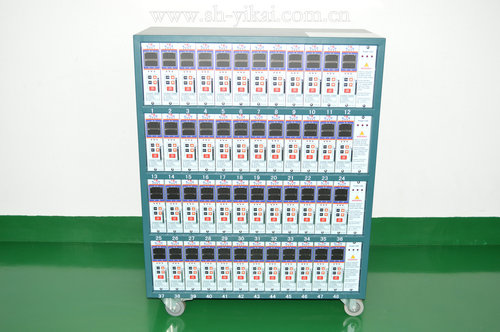
YK-B-15A Thermostat Operating Instructions
Functional specification
① The thermostat has a soft start mode, manual mode, and auto mode function; soft start mode is preheated dehumidification function, so that the mold will not damage heater due to moisture, thus extending the life of the hot runner.
② Indexing number J-type or K-type is adjustable; temperature unit ℃ or ℉ is also adjustable, which is displayed in PV window. Temperature range is 34-534 ℃.
③ The input voltage is optional, either 220VAC ± 10% 50-60HZA or 110VAC ± 10% 50-60HZA.
④ There are a variety of alarm and protection functions: low temperature alarm, high temperature alarm, disconnected temperature line alarm, temperature line reverse alarm, hot runner leakage protection alarm, hot runner short circuit and power overload protection, automatic power-off protection for wrong connected power lines or missing zero line.
Alarm code description and fault cause prompt:
Technological parameter date Function parameter factory setting
|
Item |
|
|
Code |
Description |
factory settings |
|
Input voltage |
85V—250VAC |
P01 |
Set the temperature unit: ℃ or ℉ can be set and displayed on the SV display window. |
The factory setting is ℃ |
|
|
Input frequency |
50—60HZ |
||||
|
Operating temperature |
-10℃—55℃ |
P02 |
Set the alarm on or off: when set 0N, alarm is activated; when set to OFF, the alarm function is canceled. |
The factory setting is ON |
|
|
Storage temperature |
-20℃—70℃ |
||||
|
Fuse Size |
15a250Vø6mm×30mm, 1‰sec |
P03 |
Control mode selection: PID control mode or F2y control mode. |
The factory setting is PID mode |
|
|
Temperature line model (indexing number) |
K, J |
||||
|
Set temperature range |
40℃—540℃ |
P04 |
Low time setting: Setting range is 0-255S. |
The factory setting is 240S |
|
|
Sampling speed |
0.1S |
||||
|
Temperature measurement accuracy |
±0.1℃ |
|
P05 |
High temperature time setting: Setting range is 0-80S. |
The factory setting is 15S |
|
Temperature control accuracy |
±1℃ |
||||
|
Output voltage |
0—220V |
P06 |
Sensor Model Selection: it is adjustable; wither K-type or J-type. |
Set according to customer needs |
|
|
Output power |
3.6KW |
||||
|
Temperature unit |
℃, ℉ |
P07 |
Open or lock the Key, select "uLc" means open, you can use immediately; while "Loc"means locked,which cannot be used. |
The factory setting is "uLc"
|
|

Return to the first step |
Temperature unit Settings: Press ▲ key to select the unit of Celsius, showing C, press ▼key to select units of Fahrenheit, displaying F. |
||
|
Alarm on or off: Press ▲ key, the alarm turns on, displaying ON; Press ▼ key, the alarm turns off, displaying OFF. |
|||
|
Control mode selection: Press ▲key to select PID mode, press ▼ key to select F2Y mode, usually PID mode. |
|||
|
Low time setting: Press ▲ ▼ key to modify the settings of time, the unit is S, in the range of 0-255S, 240S is generally set. |
|||
|
High temperature time setting: Press ▲ ▼key to modify the settings of time, the unit is S, in the range of 0-80S, 15S is generally set. |
|||
|
Indexing number of sensor selection is J or K : Press ▲key to select J indexing number, displayed as JJ, press ▼key to select K indexing number, displayed as " |
|||
|
Choose to open or lock the keypad: Press ▼key to select the keyboard open, displaying uLc, press ▲ key to select the keypad lock, displaying Loc. |
 ".
".
Function parameters: three seconds after pressing the SET key to enter the parameter setting mode, the display order is as follows:
Operating instructions:
SET key description: press the SET key for once to display XXP, showing heating voltage percentage; press again to display the amount of current XXA, which indicates magnitude of current; after pressing the SET key for 3 seconds, it will enter the parameter setting function.